Getting Started with Pro
Pro is built for professional event planners who manage clients and vendors. Here's what it unlocks beyond the Single Event tier.
Already on Single Event? You already have 1 vendor, 1 client, planner notes, premium fonts, and read-only planning templates. Pro removes those limits and adds the full workflow toolkit.
What you get
- Unlimited clients — Single Event includes 1; Pro removes the cap
- Unlimited vendors — Single Event includes 1 per timeline; Pro is unlimited
- Client questionnaires — send a link, client fills it out, a timeline draft is generated from their answers
- Item tags — organize items with preset and custom tags
- File attachments — attach contracts, floor plans, and reference images to items
- Custom URL slugs —
eventrundown.com/v/sarah-michael-wedding - Full to-do lists — create, edit, and check off items with pre-built event templates
- Save as template — reuse timeline structures across clients
- Venue management — track addresses, contacts, floor plans, and load times
- Audience-filtered sharing — preview and share filtered timelines per vendor or contact
- Notifications — in-app and email alerts when clients comment or complete questionnaires
- Team workspace — unlimited members with role-based access
- Company branding — logo, colors, and defaults for all new timelines
- Unlimited timelines
Starting your trial
Go to the pricing page and select Pro. Annual plans include a 14-day free trial — you get full access to everything before your card is charged.
Your dashboard
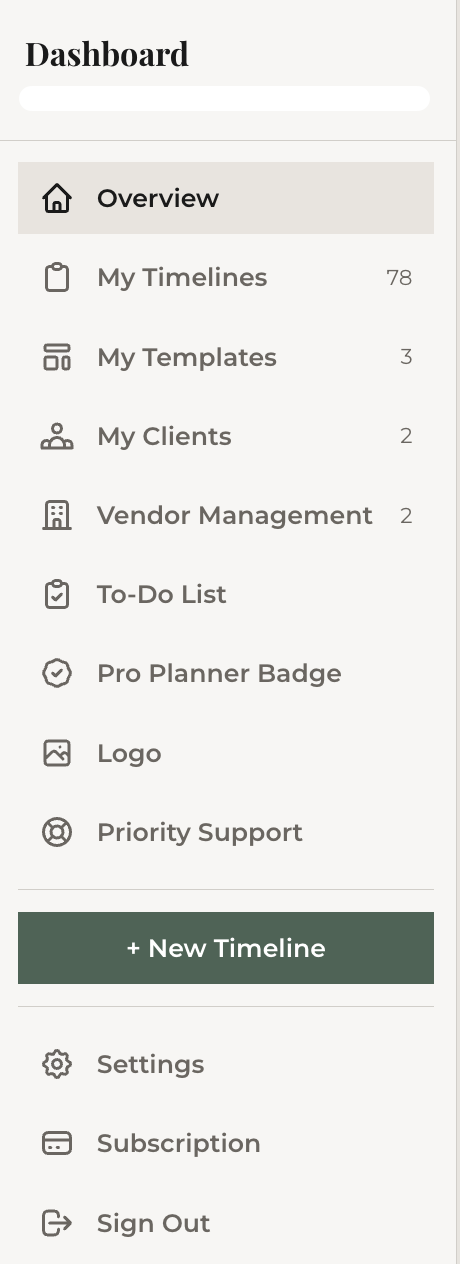
Once subscribed, your dashboard expands with new sections in the sidebar: Clients, Vendor Management, Venues, and To-Do List. The overview page shows quick stats for timelines, templates, clients, vendors, and venues.
If you're already comfortable with the editor basics, you can skip the DIY track. This Pro track focuses on the professional workflow that builds on top of those basics.
What's next
Start by setting up your first client.