Beautiful Wedding Timelines for Couples.
Powerful Event Operations for Planners.
Free for couples planning their day. Pro tools for planners managing many.
For Couples
Create a beautiful wedding timeline
- ✓Free to start
- ✓Download instantly
- ✓No signup required
For Planners
Manage multiple client events
- ✓Free 14-day trial
- ✓Client collaboration
- ✓Unlimited events
Testimonials
Loved by Couples, Trusted by Professional Planners
“EventRundown has been such a game changer for me! It has completely streamlined the process for drafting my timelines and vendor details. So thankful for such an easy, user-friendly tool that is also detail oriented. Highly recommend!”
Pari Maratos
Owner, House of Pari Events

“As a wedding planner, timelines are one of the most critical tools I create for every event, so I'm always interested in solutions that make that process more efficient. EventRundown offers a clean, intuitive experience that makes building and organizing timelines straightforward. I especially appreciate how easy it is to collaborate and communicate timeline details with the people involved. It's a promising platform that clearly understands the needs of event professionals, and I'm excited to continue using it as new features are introduced.”
Preena Patel
Founder of Preena Presents, Lead Wedding and Event Planner

“To create awesome timelines for any event you might be hosting, I would recommend EventRundown.”
La Avoira
Event Planner
“If anyone uses itineraries or timelines, I would seriously consider trying this!”
Amit
TheHostMasterUK
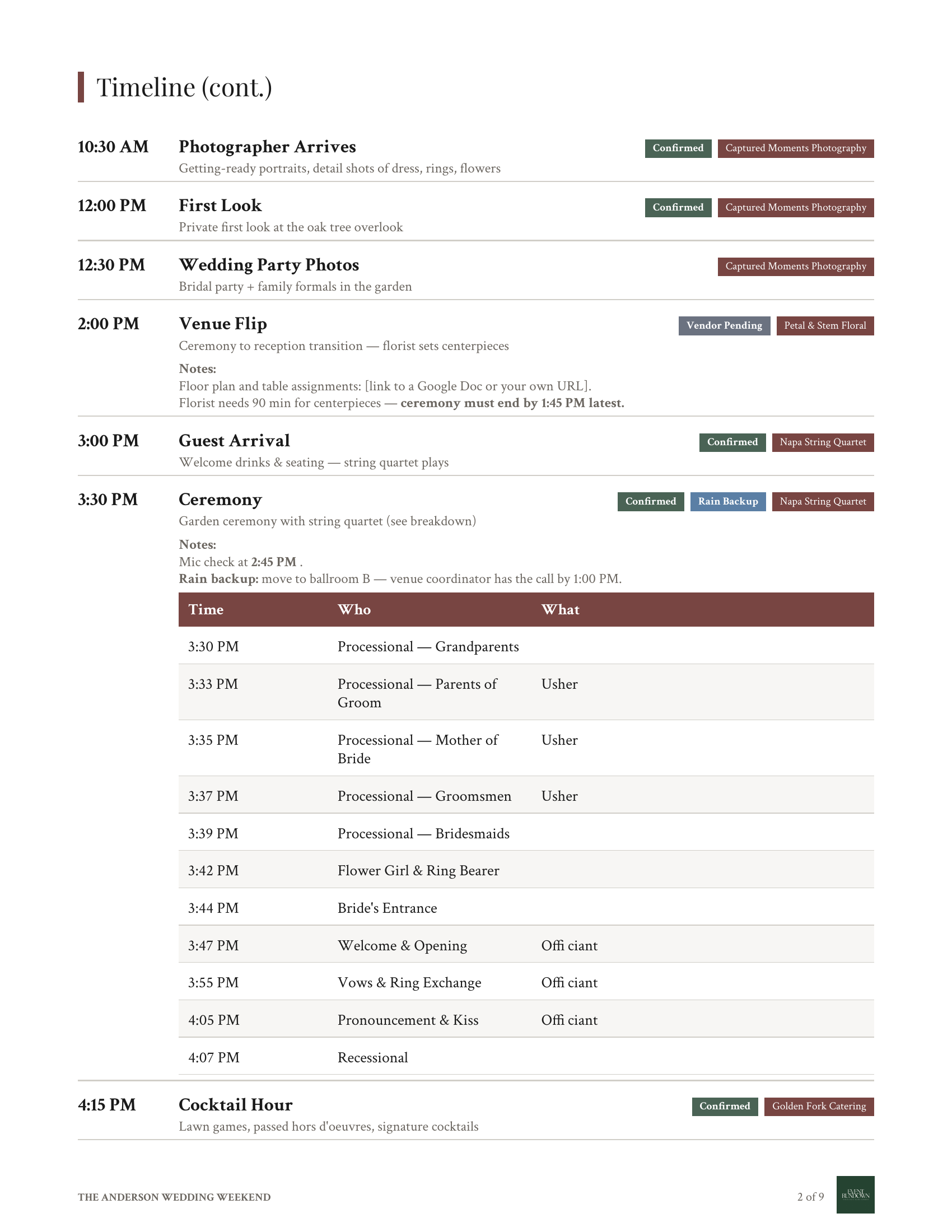
See a Full Wedding Weekend
Use as Template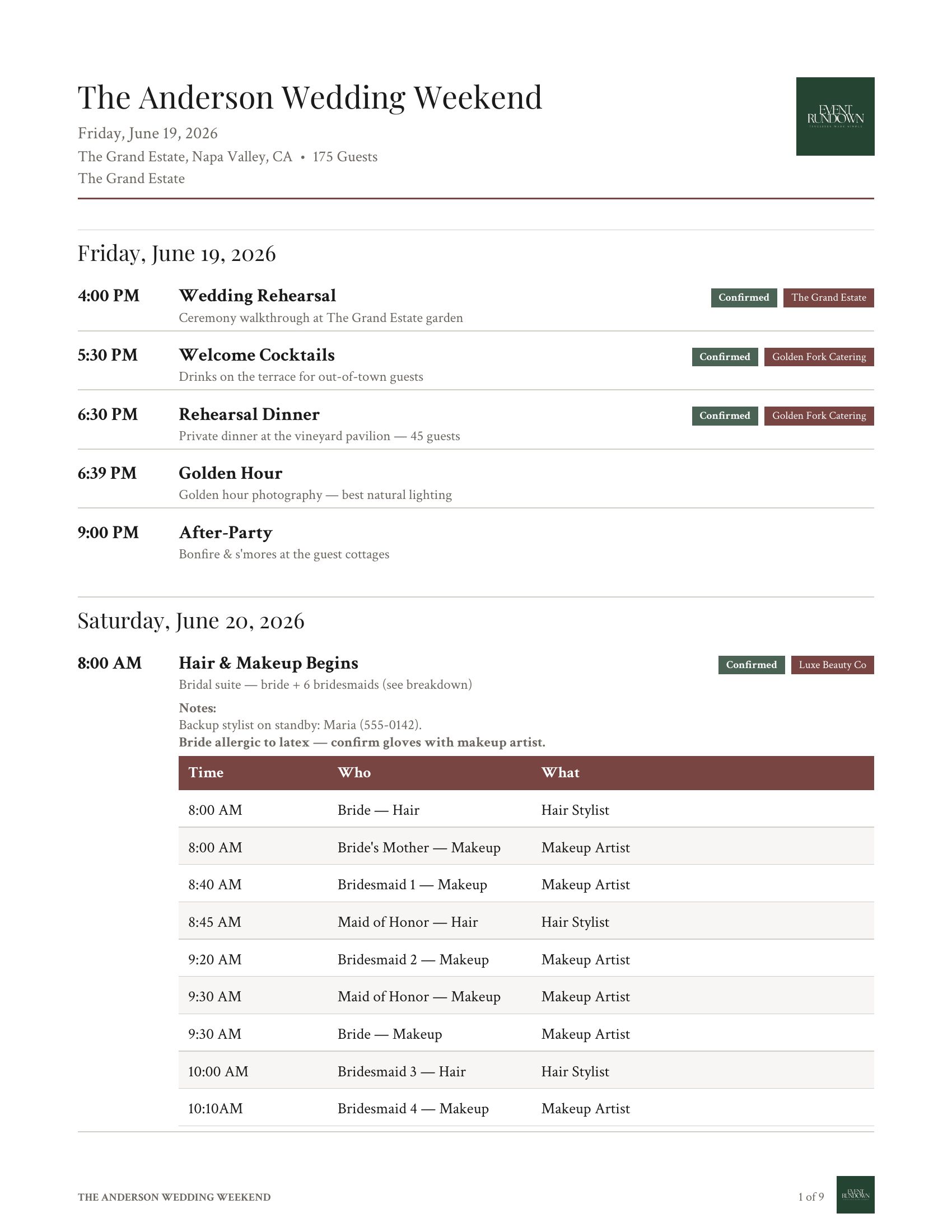
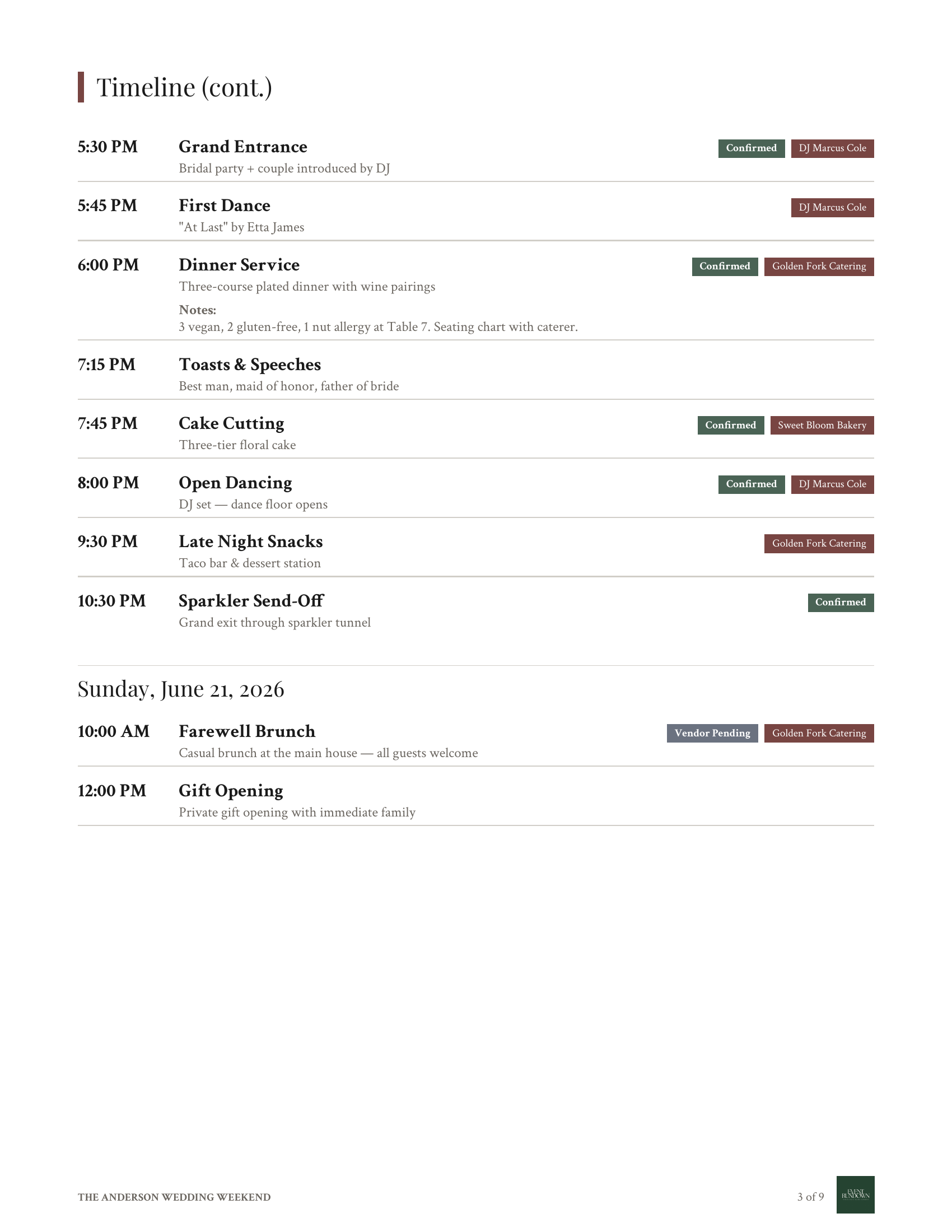
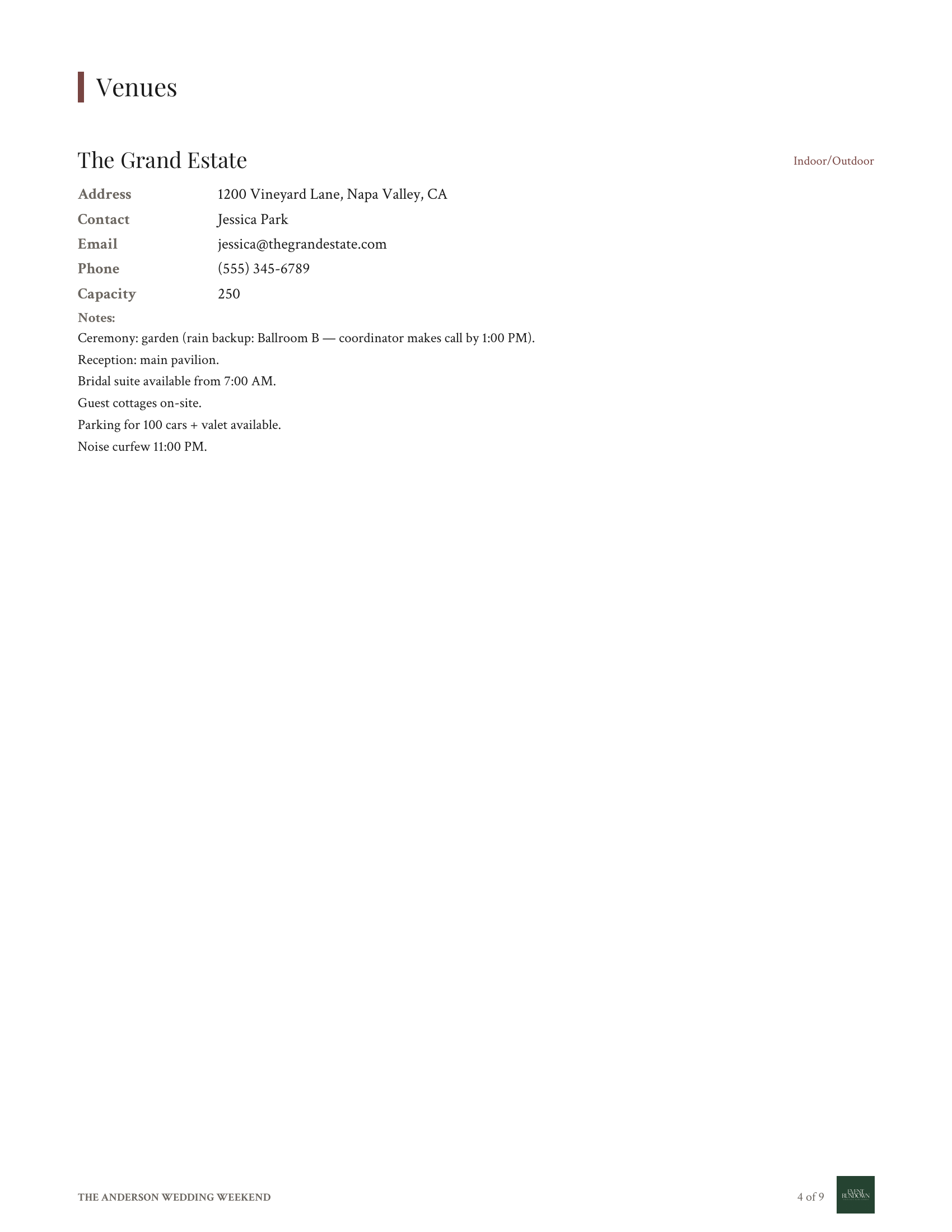
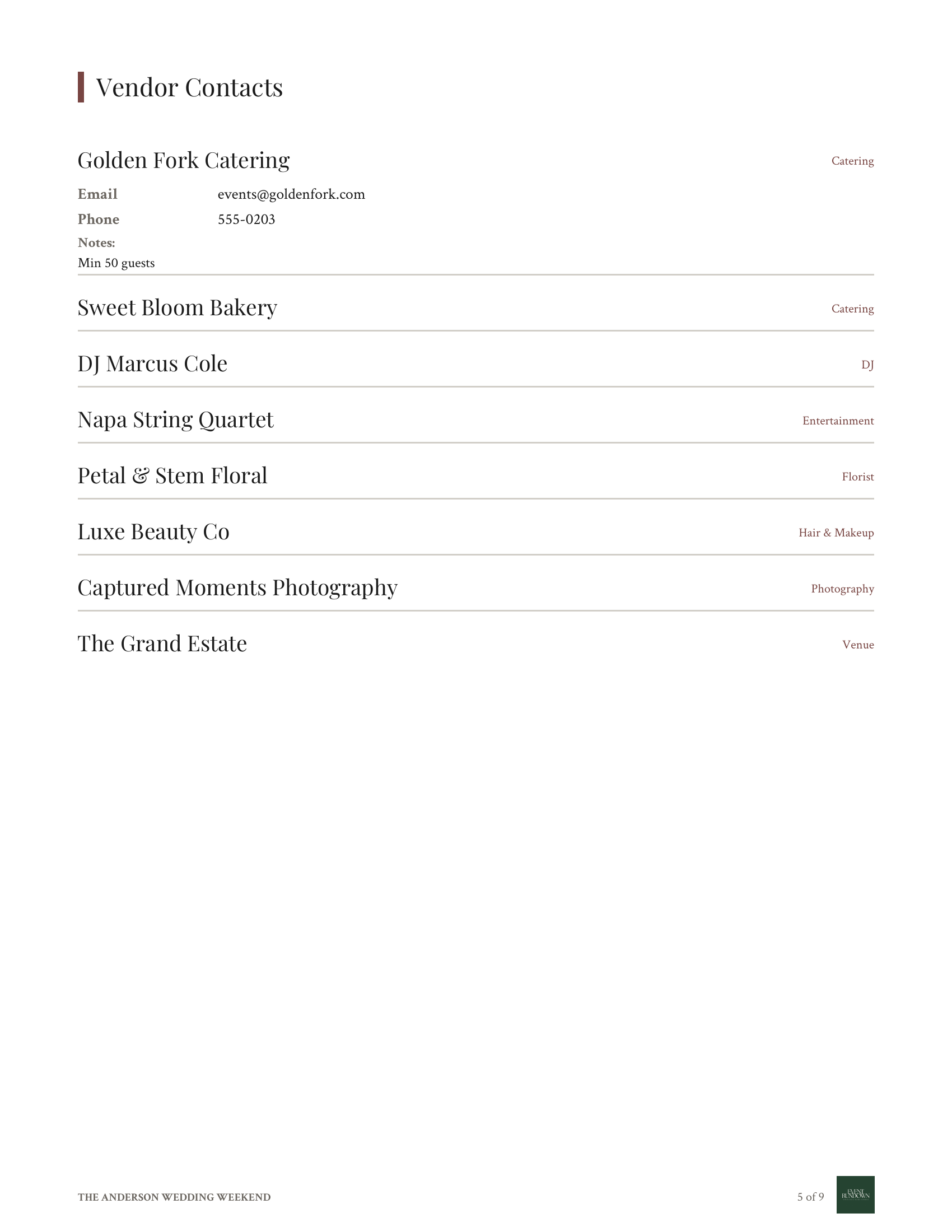
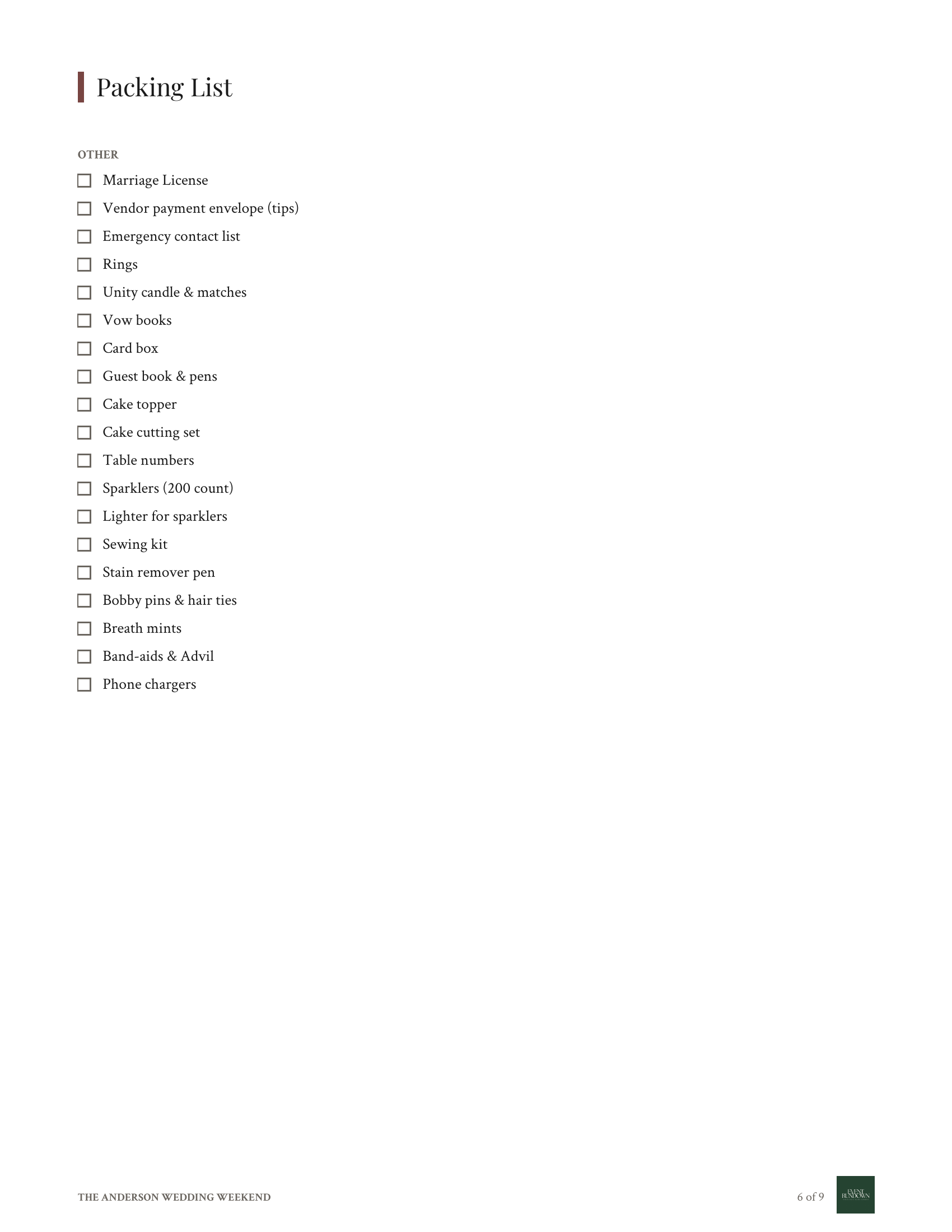
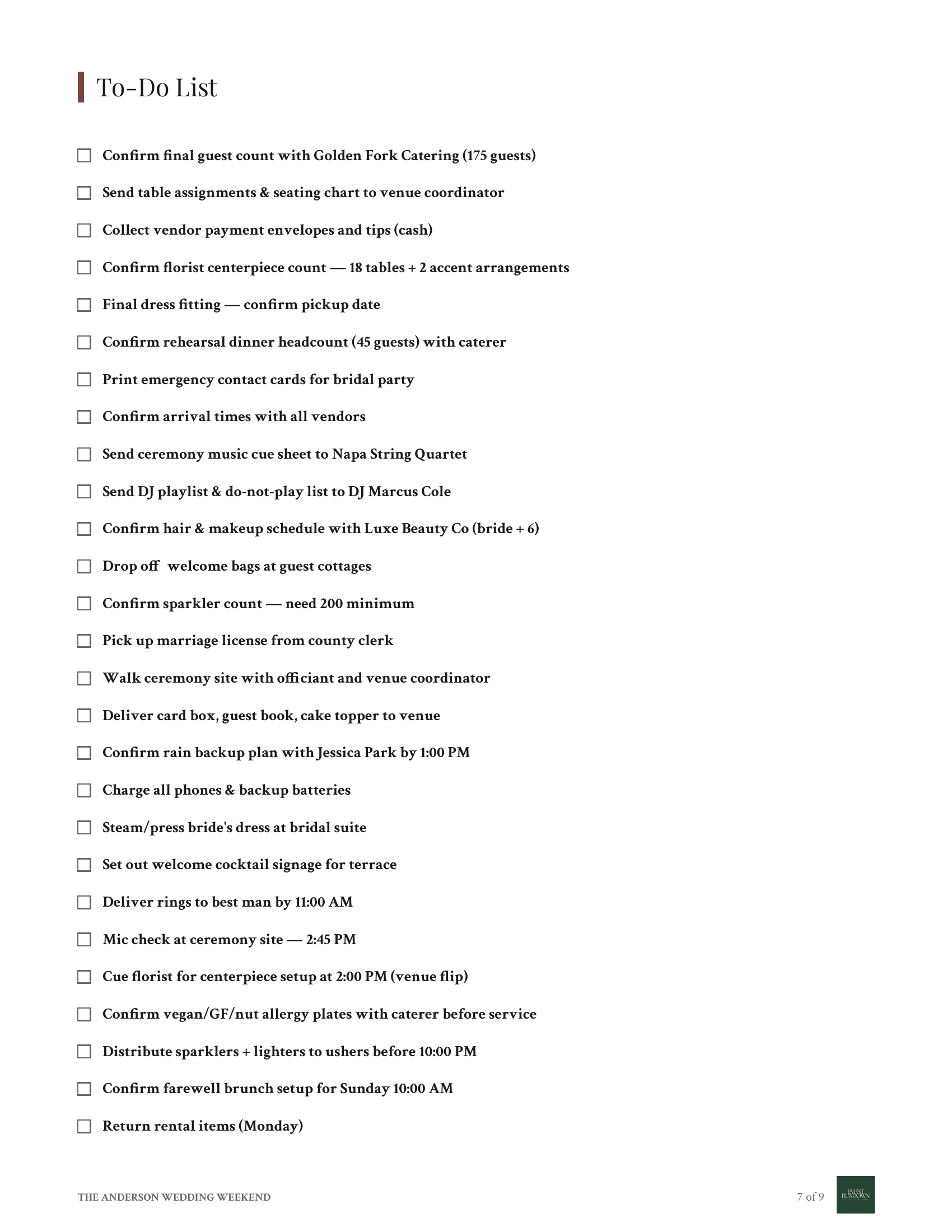
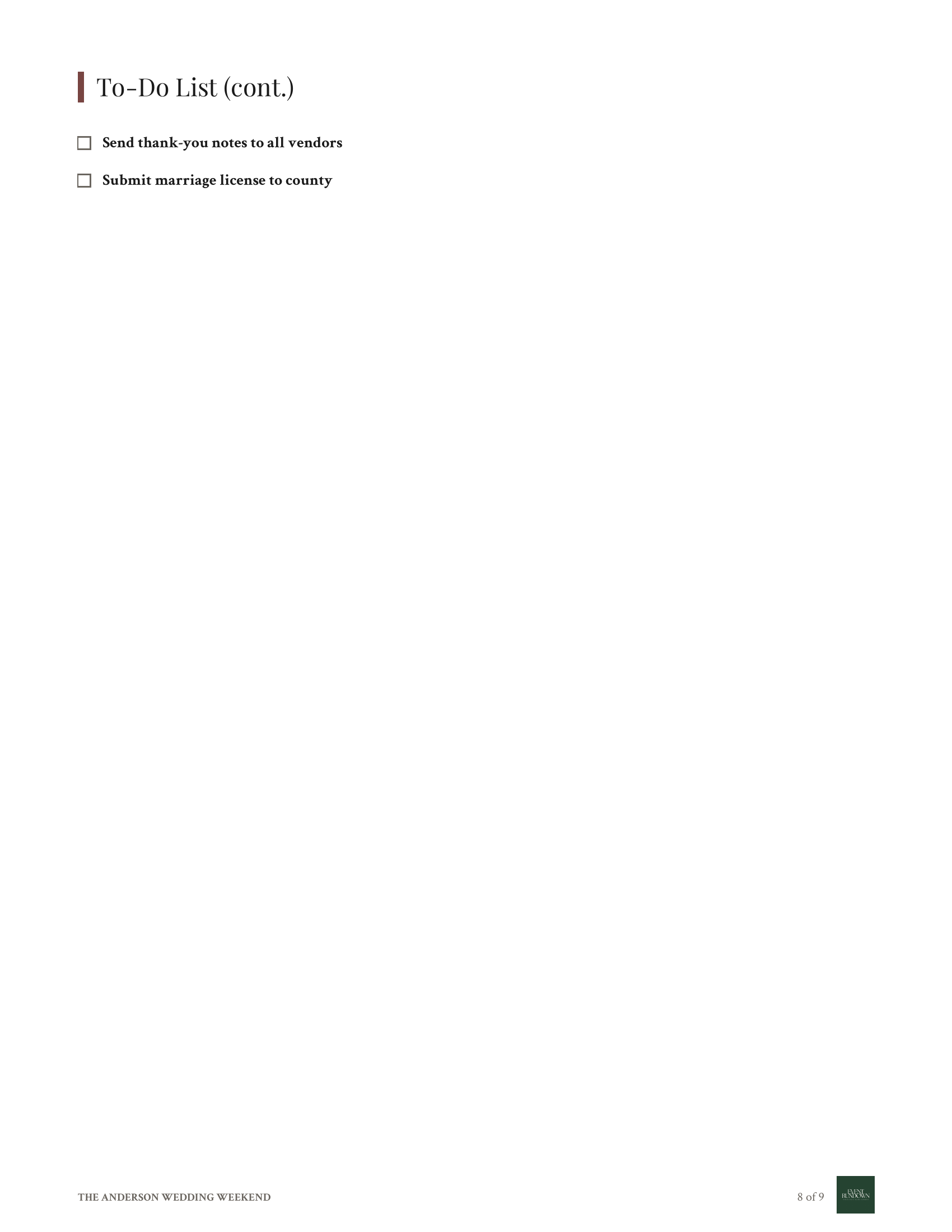
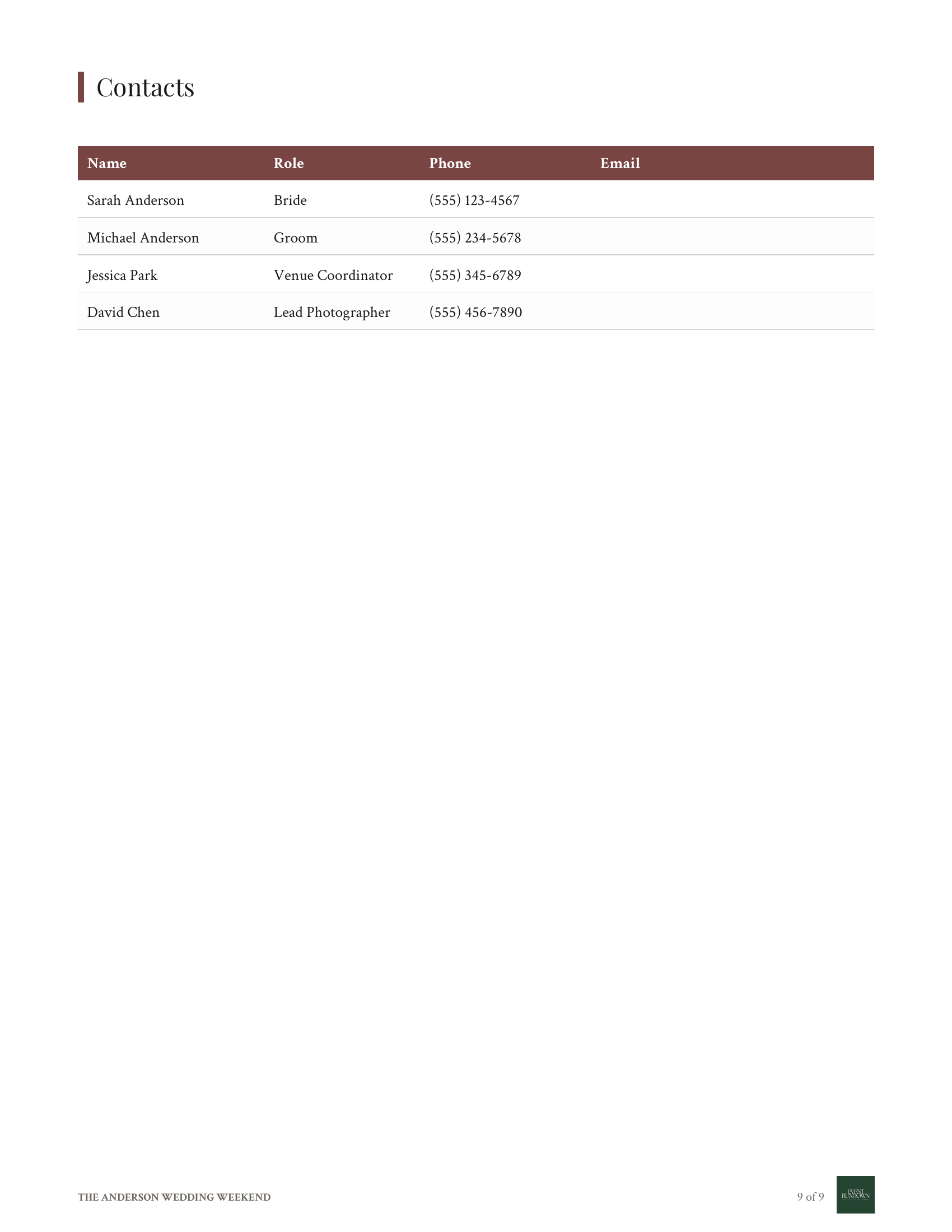
How It Works
For Couples
Planning your event
1.Pick a template
65+ wedding & event templates, pre-filled with realistic times.
Template Gallery
65+ templates
Wedding Day
Wedding
Birthday Party
Party
Photo Session
Photography
Corporate Offsite
Corporate
Pre-filled — customize anything
2.Customize anything
Names, date, items, themes, layouts. 15 looks, all editable.
Sarah + Jake
August 17, 2026 · The Grand Estate
Theme
3.Download or share
PNG, PDF, or a live link your bridal party can pull up on their phone.
Live Link
Sarah & Jake
Aug 17, 2026
4:00
Ceremony
5:00
Cocktails
6:30
Reception
Download or share
Sarah & Jake
August 17, 2026
For Planners
Managing many events
1.Save client templates
Build your favorite event format once. Clone it for every new client.
My Templates
Clone for new clients
Sarah + Jake's Wedding★
Aug 17 · The Grand Estate
Jordan + Mike Anniversary
Sept 4 · Napa Valley
Henderson Corporate Retreat
Oct 12 · Sonoma
Parker Bachelorette
Nov 2 · Charleston
2.Add internal breakdowns
Per-vendor sub-schedules, prep times, and notes — visible to you, hidden from the client view.
Internal Breakdowns
Pro detail view
Sub-rows print on planner copy, hidden from clients
3.Send to vendors & clients
Per-vendor share links, SMS reminders, branded PDFs with your logo, and a clean client view.
Vendor Link
5:30
Cocktails
6:30
Dinner
9:00
Late Night
SMS Reminder
12:30 PM"Florist arrives in 30 min — back entrance, ask for Sarah."
Branded PDF
The Anderson Wedding
Saturday, June 19 · Napa Valley
4:00 Ceremony
5:30 Cocktails
6:30 Dinner
For Couples
Planning your event
1.Pick a template
65+ wedding & event templates, pre-filled with realistic times.
Template Gallery
65+ templates
Wedding Day
Wedding
Birthday Party
Party
Photo Session
Photography
Corporate Offsite
Corporate
Pre-filled — customize anything
2.Customize anything
Names, date, items, themes, layouts. 15 looks, all editable.
Sarah + Jake
August 17, 2026 · The Grand Estate
Theme
3.Download or share
PNG, PDF, or a live link your bridal party can pull up on their phone.
Live Link
Sarah & Jake
Aug 17, 2026
4:00
Ceremony
5:00
Cocktails
6:30
Reception
Download or share
Sarah & Jake
August 17, 2026
For Planners
Managing many events
1.Save client templates
Build your favorite event format once. Clone it for every new client.
My Templates
Clone for new clients
Sarah + Jake's Wedding★
Aug 17 · The Grand Estate
Jordan + Mike Anniversary
Sept 4 · Napa Valley
Henderson Corporate Retreat
Oct 12 · Sonoma
Parker Bachelorette
Nov 2 · Charleston
2.Add internal breakdowns
Per-vendor sub-schedules, prep times, and notes — visible to you, hidden from the client view.
Internal Breakdowns
Pro detail view
Sub-rows print on planner copy, hidden from clients
3.Send to vendors & clients
Per-vendor share links, SMS reminders, branded PDFs with your logo, and a clean client view.
Vendor Link
5:30
Cocktails
6:30
Dinner
9:00
Late Night
SMS Reminder
12:30 PM"Florist arrives in 30 min — back entrance, ask for Sarah."
Branded PDF
The Anderson Wedding
Saturday, June 19 · Napa Valley
4:00 Ceremony
5:30 Cocktails
6:30 Dinner
Why planners use EventRundown
Spreadsheet version chaos, gone. The outcomes professional planners get from week one.
Run 10 events without losing the thread
Every client, every timeline, one dashboard. Switch between them in a tap.
Every vendor on the same page
Contacts, notes, and assignments travel with the event. No more re-typing.
Vendors see only what they need
Each vendor gets their own link with their own items. No 40-row schedule to scroll.
Floor plans next to the schedule
Attach contracts, layouts, and PDFs to the timeline they belong to.
Client-ready in your brand
Your logo, your colors, on every export. Goes out polished, not generic.
Skip the kickoff back-and-forth
Send a link, client fills the details, get a draft timeline back.
You've Tried This in Excel. It Took Hours.
Spreadsheets weren't built for timelines. Canva wasn't built for schedules. You end up formatting cells or dragging text boxes instead of planning your event.
Excel / Google Sheets
- ✗Looks like a spreadsheet because it is one
- ✗No shareable link — you email attachments
- ✗Formatting breaks when you add a row
- ✗Vendors get a .xlsx they may not open
Canva
- ✗Drag text boxes for an hour to align times
- ✗Change one item, reposition everything
- ✗No auto-sort by time or categories
- ✗Can't assign vendors or share filtered views
EventRundown
- ✓Describe your event, get a full timeline in seconds
- ✓Share a link — vendors see only their items
- ✓Auto-formatted, print-ready image export
- ✓Add to calendar, CSV import, designer themes
How to Create a Professional Event Timeline
Describe your event in a few sentences and EventRundown builds the timeline for you. Or pick from 65+ templates and adjust the details. Every item gets a time, title, and optional description — drag to reorder, click to edit.
When you're done, export a designed image to text your vendors, email your bridal party, or print for day-of reference. Or share a live link anyone can open on their phone.
Why Use Event Timeline Planning Software?
Spreadsheets get the job done, but nobody wants to zoom into a Google Sheet on their phone 20 minutes before the ceremony. EventRundown gives you a timeline that actually looks good — 14 visual themes, automatic formatting, and a layout designed for sharing.
Pro planners use it to manage clients, assign vendors to specific items, and send each vendor only the parts of the timeline they need. Start free, upgrade when you need more.
Free Wedding Timeline Template & Itinerary Planner
Our wedding day-of timeline templatecovers hair and makeup through grand exit. Set your ceremony time and every other item shifts to match. Add vendor names so your photographer, DJ, and caterer each know exactly when they're on.
Export as a PNG image for group chats, a PDF for printing, or a shareable link your wedding party can pull up on the day.
Corporate Event Schedule Maker & Conference Timeline Generator
Use the corporate event schedule template to build multi-session schedules with speaker slots, networking breaks, and breakout rooms. The editor handles any event structure — single-track or parallel sessions.
Download a high-res image for printed programs or lobby signage, generate a PDF for attendee packets, or share a link to embed on your event website.
Photography Day-Of Schedule & Shoot Timeline
Photographers and second shooters use the photography day-of schedule templateto map every block: getting-ready coverage, first look, family formals, ceremony, portraits, and reception highlights. Hand the printed image to your second shooter so you're aligned without a phone call.
Browse the full collection of free event timeline templates covering weddings, corporate events, parties, photography, and travel.
Build a timeline you'd actually send.
For Couples
Free with watermark·$12 per event
For Planners
$99 for 5 events·$39/mo·$299/yr (14-day trial, no card)
From the Blog
Wedding Day Timeline Template (Free Download)
Create a beautiful wedding day timeline in minutes. Free template with describe-and-generate, PDF export, and shareable links.
How to Create an Event Timeline in 5 Minutes
Step-by-step guide to creating a professional event timeline in minutes. Works for weddings, corporate events, parties, and conferences.
Why Event Planners Are Switching from Spreadsheets to Timeline Tools
Spreadsheets work for data, not for communicating schedules. Here is why professional planners use dedicated timeline tools.
7 Event Timeline Tips to Keep Vendors on Schedule
7 proven event timeline tips to coordinate vendors, prevent delays, and keep your wedding or corporate event running on schedule.
Why Spreadsheet Timelines Are Costing Planners Clients
How Google Sheets and Excel timelines undermine your professionalism. What clients actually see when you send a spreadsheet vs a branded timeline.